
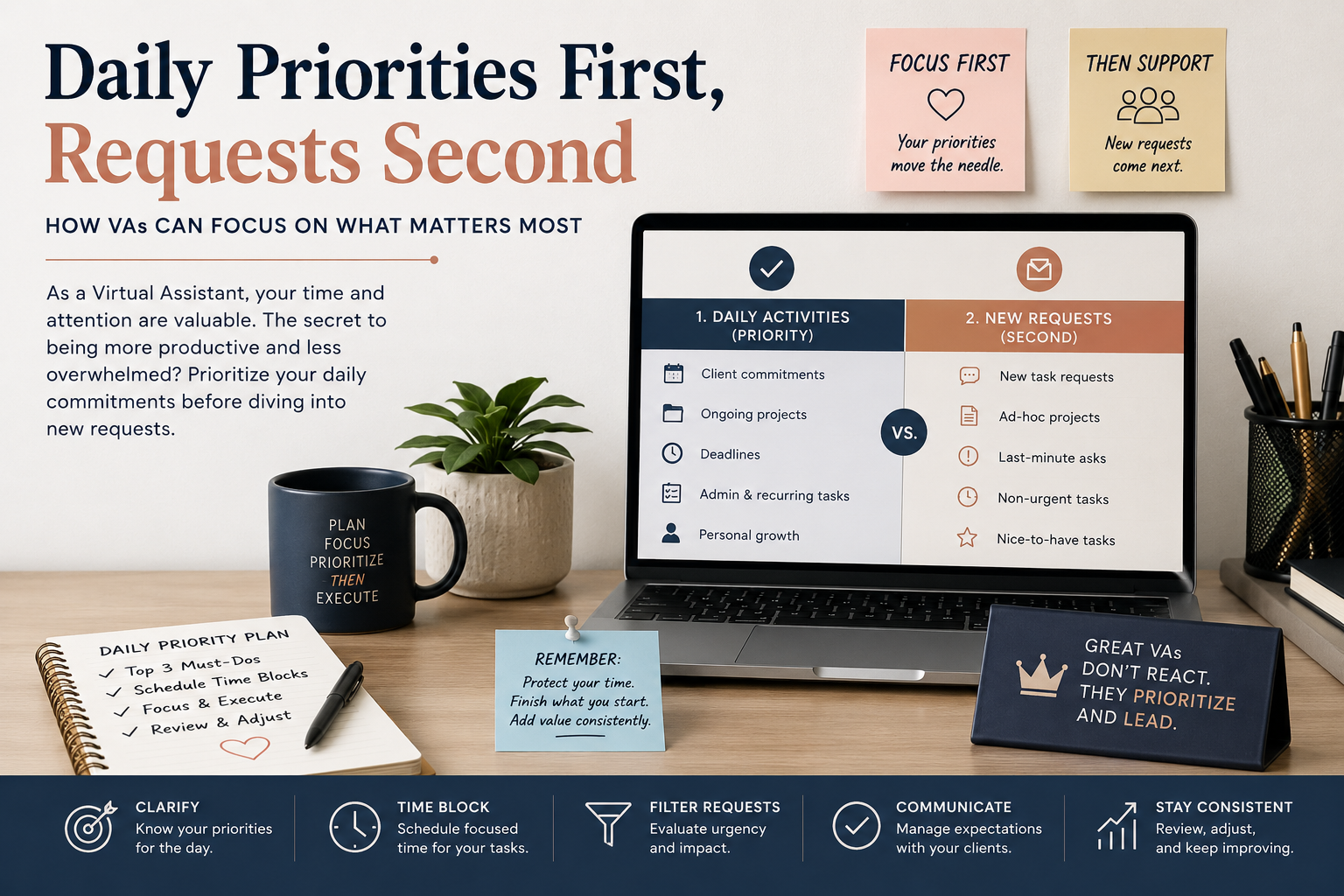
Virtual Assistants can balance daily responsibilities with new requests using proven prioritization techniques, time management strategies, and professional communication.
One of the biggest challenges Virtual Assistants face is balancing planned daily responsibilities with the constant flow of new requests that arrive throughout the day. Whether you’re supporting a busy executive, managing multiple clients, or coordinating projects, every task can seem urgent. The key is not working harder—it’s prioritizing smarter.
The Problem: Everything Feels Like a Priority
A typical day for a VA may already include:
- Calendar management
- Inbox organization
- Meeting coordination
- Customer follow-ups
- Project updates
- Administrative tasks
Then suddenly, a client sends a message marked “urgent,” another asks for a report by the end of the day, and a vendor needs immediate attention.
Without a system, it’s easy to become reactive, constantly shifting focus and leaving important tasks unfinished.
Step 1: Start Every Day With a Priority Review
Before opening emails or responding to messages, spend 10-15 minutes reviewing:
- Outstanding tasks from previous days
- Scheduled deadlines
- Client commitments
- Meetings and appointments
Create a simple list categorized by:
High Priority
Tasks that directly impact business operations, deadlines, revenue, or executive commitments.
Medium Priority
Important tasks that support ongoing projects but are not immediately time-sensitive.
Low Priority
Administrative or maintenance tasks that can be completed when time permits.
This creates a roadmap before distractions begin.
Step 2: Evaluate New Requests Before Reacting
When a new request arrives, avoid immediately dropping what you’re doing.
Instead, ask:
- Is this truly urgent?
- What is the deadline?
- What happens if it waits until later today?
- Does it affect other priorities?
Many requests feel urgent simply because they are new. Taking a moment to assess impact helps prevent unnecessary interruptions.
Step 3: Use the Urgent vs. Important Framework
A useful method is dividing tasks into four categories:
Urgent and Important
Handle immediately.
Examples:
- Client emergencies
- Executive schedule conflicts
- Time-sensitive customer issues
Important but Not Urgent
Schedule dedicated time.
Examples:
- Strategic planning
- Process improvements
- Project management
Urgent but Less Important
Delegate when possible or batch together.
Examples:
- Routine approvals
- Information requests
Neither Urgent nor Important
Postpone or eliminate.
Examples:
- Non-essential administrative tasks
- Low-value interruptions
This framework prevents urgent tasks from consuming your entire day.
Step 4: Communicate Expectations Clearly
Professional Virtual Assistants don’t simply accept every request instantly—they manage expectations.
Instead of saying:
“I’ll do it right now.”
Try:
“I can complete that by 2:00 PM today. If this requires immediate attention, please let me know so I can adjust other priorities.”
This demonstrates organization, professionalism, and control over your workload.
Step 5: Time Block Your Schedule
Reserve specific periods for different types of work.
For example:
8:00 AM – 9:00 AM
Inbox management and daily planning
9:00 AM – 11:00 AM
High-priority project work
11:00 AM – 12:00 PM
Client requests and follow-ups
1:00 PM – 3:00 PM
Administrative and operational tasks
3:00 PM – 4:00 PM
Review new requests and prepare for the next day
Time blocking reduces context switching and improves productivity.
Step 6: Know When to Escalate
Not every decision should be made independently.
If multiple urgent requests compete for your attention, ask your executive or client:
“I currently have three high-priority requests. Which would you like me to prioritize first?”
This ensures alignment and prevents assumptions.
The Most Effective VAs Manage Priorities, Not Tasks
Exceptional Virtual Assistants understand that productivity isn’t about completing the most tasks—it’s about completing the right tasks at the right time.
By reviewing priorities daily, evaluating new requests objectively, communicating expectations clearly, and maintaining a structured workflow, VAs can stay organized, reduce stress, and provide a higher level of support to their clients.
The ability to prioritize effectively is what transforms a good Virtual Assistant into an indispensable business partner.